Before
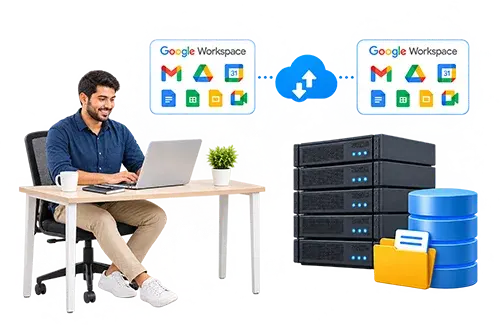
EO MEPA Bridge's email accounts were not yet with Codelattice, and several access and routing changes were waiting to be made.
How Codelattice, a Google Workspace partner in India, transferred EO MEPA Bridge's account and set up the sending limits and aliases it needed.
EO MEPA Bridge's email accounts were not yet with Codelattice, and several access and routing changes were waiting to be made.
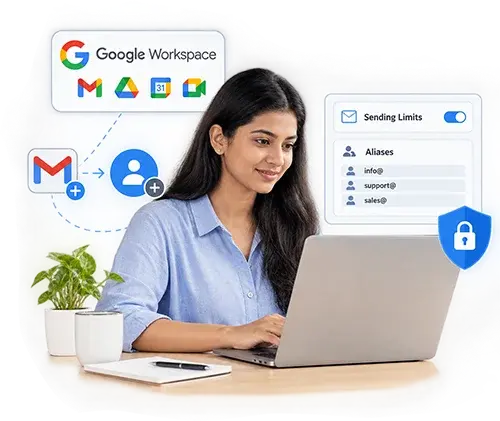
The account now sits in Codelattice's console, with new IDs, reset passwords, aliases routed to the admin ID and internal-only sending on a few IDs. Drive storage stays as Google supports it.
1 account transferred · 5 requests completed · 1 request escalated to Google · ongoing support since June 2022
6 requests arrived with the account transfer.
5 were completed by Codelattice, and 1 was confirmed unsupported by Google at the time.
A few IDs are now limited to sending mail inside the organization.
EO MEPA Bridge is a regional, borderless chapter that helps business leaders connect with peers beyond their local community, including members in smaller cities and those who prefer virtual platforms. For an organization that works across locations, the way mailboxes and files are set up shapes everyday work.
When the team moved its email to Codelattice in June 2022, the transfer came with a set of requests that went beyond moving accounts. Most were routine administration. A couple reached into how the organization wanted mail and files to behave day to day, and one depended on a feature Google might not offer. The team wanted clear answers on each, ideally without a long back-and-forth.
The requests fell into four areas:
Account transfer: Email had to move across to Codelattice's console, and the team also needed new IDs created and passwords reset as part of the same move.
Internal-only sending: A few IDs were meant for messages to company people only, so they needed a restriction that stopped them from emailing outside domains while other accounts stayed as they were.
Aliases to the admin ID: Several addresses needed to route to the admin access ID, so mail sent to them would land in the admin account's mailbox.
Shared drives only: The team wanted My Drive turned off so file storage lived only in shared drives, a setting that depended on whether Google supported it.
Codelattice's server team handled the configuration requests directly and sent the one platform-level question to Google. Splitting the work that way meant the routine changes were not held up by the one request that depended on a product decision from someone else.
Four steps covered the engagement, ordered so the account was in place before any restriction or alias was added. Each step stayed with the request it was meant for, so the My Drive question never stalled the work on the others.
EO MEPA Bridge's email moved first, since every later change depended on the account being under Codelattice's management. Once the transfer was done, the server team created the new IDs the organization had asked for and reset passwords for the accounts that needed them. Doing these together meant users had working credentials as soon as the account was in place, and the access changes could begin from a clean base.
A few IDs were meant for sending to company people only. The server team restricted those IDs so they could no longer send mail to outside domains, which keeps messages from them inside the organization. The team handled this configuration directly, with no need to involve Google. Applying it to the chosen IDs left sending on every other account untouched.
Several of the organization's addresses needed to reach the admin access ID, so the server team set each of them up as an alias of that account. Mail sent to any of those addresses now arrives in the admin account's mailbox. Aliases add no extra mailbox or license, since they are extra addresses that point to an existing one.
EO MEPA Bridge also wanted My Drive disabled, so that Drive storage lived only in shared drives. Codelattice could not change that setting itself, so it raised a support ticket with Google. Google's team replied that, at the time, the feature was not supported. Codelattice passed that answer on to the client, who accepted it.
Organizations often ask for shared drives only because of how ownership works:
| My Drive | Shared drives | ||
|---|---|---|---|
| Who owns the files | The individual user | The team or organization | |
| When a member leaves | Files stay with that user's account | Files stay with the team | |
| Who controls access | The file owner | Drive members, by role |

The engagement closed with these items in place:
Five of EO MEPA Bridge's six requests were completed by Codelattice, and the sixth went to Google for a decision.

Account transfers tend to bring a list of side requests with them, and the useful question is who handles each one and who says so when something cannot be done. Codelattice is an authorized Google Workspace partner serving businesses across India, and this engagement shows how that works in practice.
Success stories that define our expertise in SaaS implementations, cloud hosting, RPA, AI, and more.